Desktop
Use the packaged Windows or macOS app for the main flight board, local server, browser access, phone pairing, and LED matrix setup from one install.
Local Flight runs on your computer or Raspberry Pi and shows departures, arrivals, radar, history, phone views, and LED matrix output for personal display setups.
Current beta: 0.2.7. Local Flight is not certified aviation software. Flight, radar, weather, map, relay, and mobile data may be delayed, incomplete, cached, wrong, or unavailable. Do not use it for navigation, dispatch, operational control, flight planning, professional aviation work, or safety decisions.
The same Local Flight install can drive a desktop window, a LAN browser screen, a Raspberry Pi kiosk, a phone app, or an LED matrix board.
Use the packaged Windows or macOS app for the main flight board, local server, browser access, phone pairing, and LED matrix setup from one install.
Run a small always-on display box as a headless server, HDMI kiosk, or browser kiosk for a dedicated board screen.
The mobile app supports companion mode for a paired desktop/Pi server and a phone-only mode through the shared Beacon Tools relay. TestFlight and Play Store testing are coming soon.
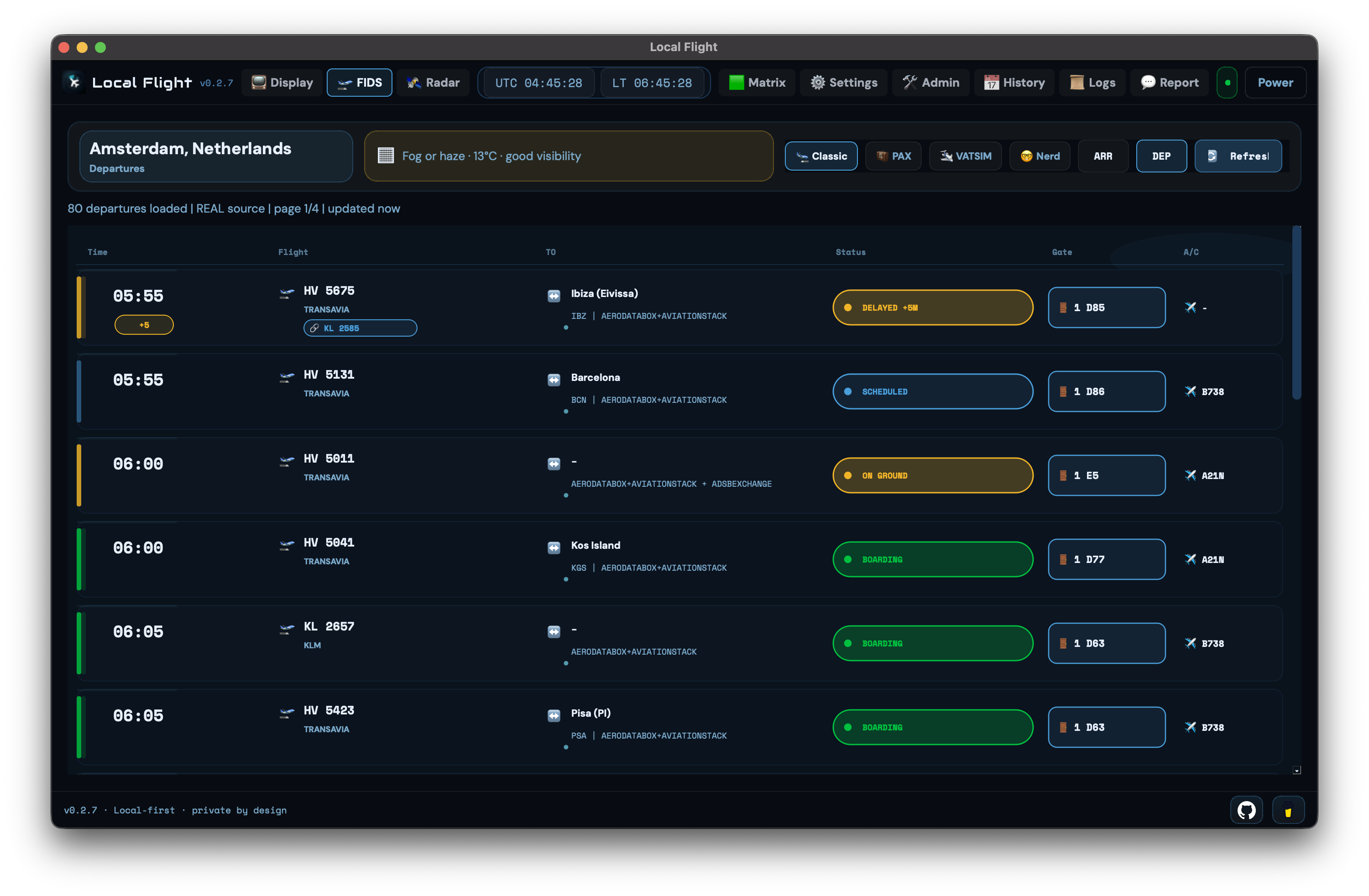
A packaged desktop app with board, radar, history, settings, phone pairing, and display styles.
Open the board from another browser, tablet, Raspberry Pi display, or room screen on your network.
Companion and phone-only modes for board, radar, history, reports, and QR/manual pairing. TestFlight and Play Store testing are planned next.
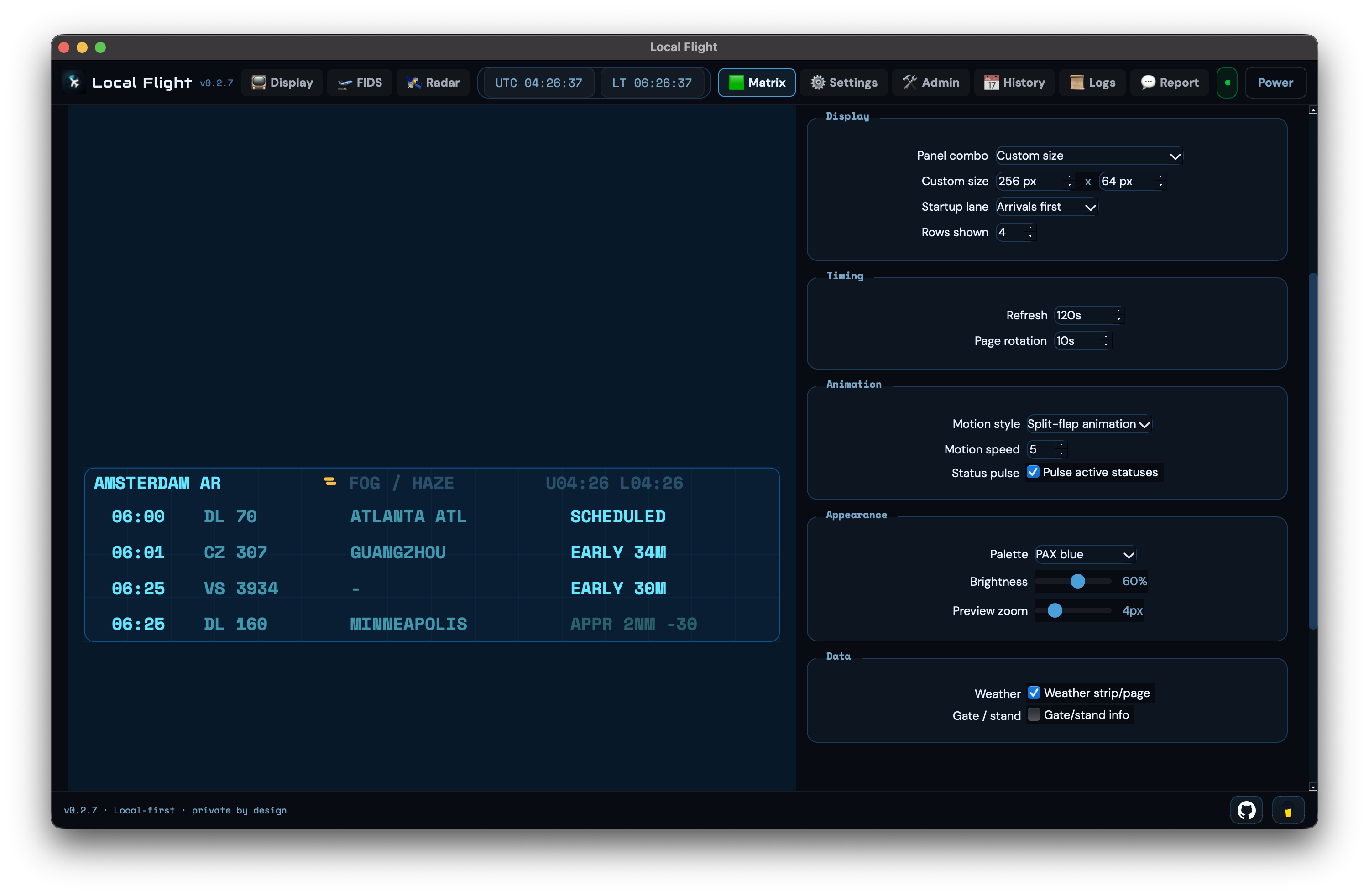
Preview and generate display files for Interstate 75 W / HUB75 LED matrix panels.
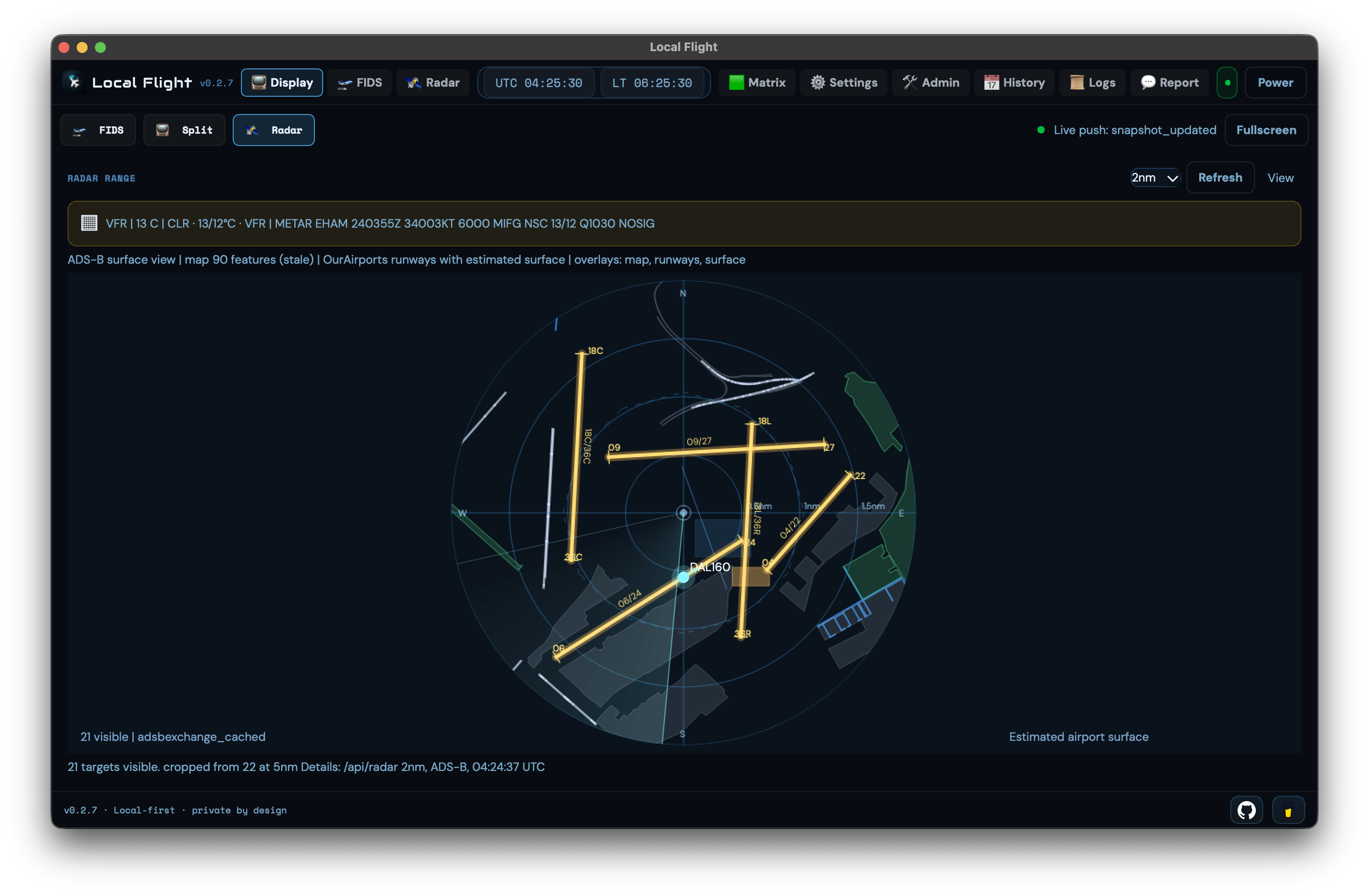
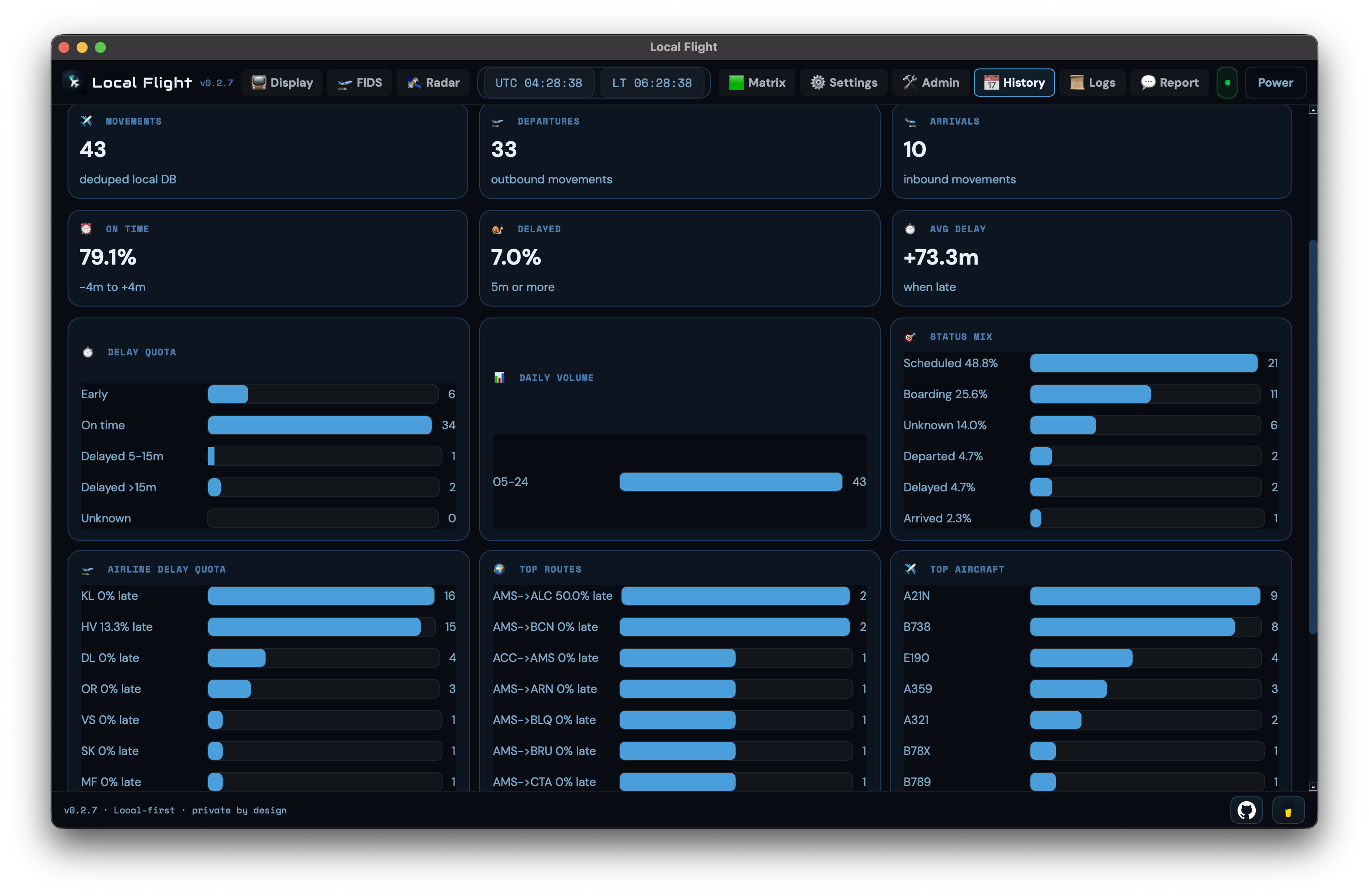
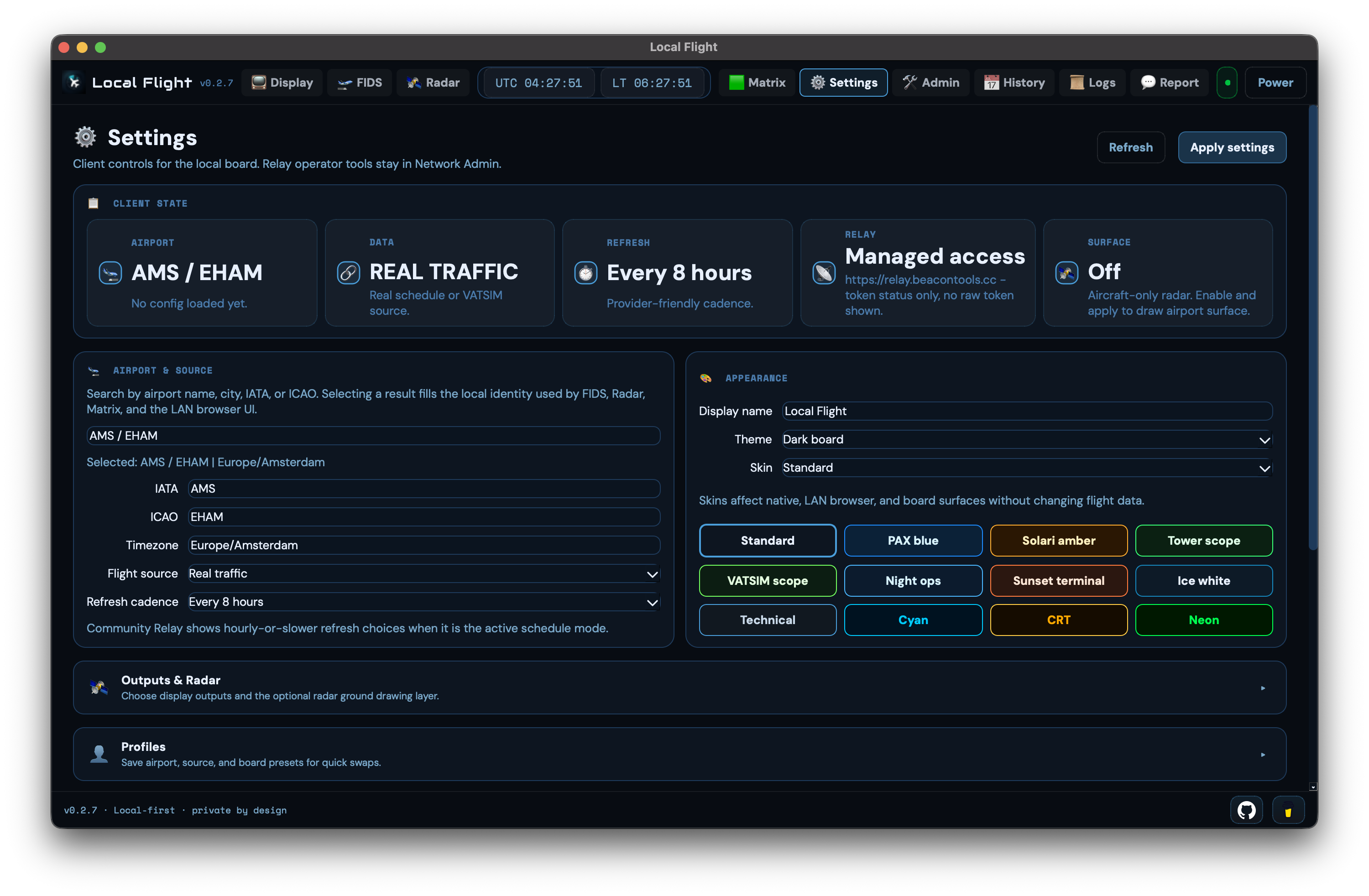
Local Flight can use your own data keys, VATSIM-only virtual traffic, or the shared Beacon Tools relay.
https://relay.beacontools.cc
The relay protects shared data keys, reuses cached airport boards, applies fair-use limits, and keeps personal display setups easier to start.
The relay is explained in plain language at beacontools.cc/network.
No accounts, no advertising SDKs, no data brokers, and no cross-app/site tracking.
Settings, API keys, board snapshots, history, logs, mobile appearance, and LED matrix settings stay local unless you choose a relay-backed feature or send a report.
The public privacy policy is at beacontools.cc/privacy. Privacy controls and data deletion guidance live at beacontools.cc/privacy/choices.
Local Flight is an informational display tool only. Data may be delayed, incomplete, cached, wrong, or unavailable. Do not use it for navigation, dispatch, operational control, flight planning, professional aviation work, or safety decisions. Always use official aviation sources and certified systems for real-world operations.
Open support
Use the message form for questions, or the bug report form when details and logs would help.